Reviews
Brother SE700 Review: Sewing and Embroidery in One Machine
 By Rachel TorresQuilting & embroidery editor
A researched look at Brother’s popular sewing-and-embroidery combo — specs, what owners say and who should skip it.
Brother SE700 at a glance
| Spec | Value | Source |
|---|---|---|
| Embroidery area | 4″ × 4″ | Source |
| Built-in designs | 135 | Source |
| Sewing stitches | 103 | Source |
| Connectivity | Wireless LAN; Artspira app | Source |
Our take
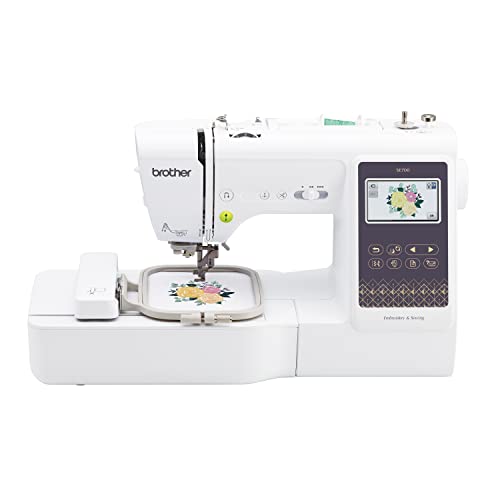
Brother SE700 (opens Amazon in a new tab)
Best for: Hobbyists who want everyday sewing plus small embroidery on one machine
- Embroidery area: 4" x 4"Source
- Built-in designs: 135Source
- Sewing stitches: 103Source
- Connectivity: Wireless LAN; Artspira appSource
Pros
- Sewing and embroidery in one footprint
- Wireless design transfer through Artspira
- Solid built-in design and stitch counts for home use
Cons
- 4" x 4" field limits jacket-back motifs
- App workflow has a learning curve for some owners
Skip it if: You need designs larger than 4" x 4" in a single hoop
What owners mention
Praise
- convenient combo
- wireless transfer
Complaints
- small embroidery field
- app setup takes patience
Who the SE700 suits (and who should skip it)
Suits you if you want monograms, patches and small motifs plus everyday sewing in one footprint, and a 4″ × 4″ field is enough for your first year of projects. It is a natural match for readers comparing beginner embroidery kits on best embroidery machines for beginners and broader sewing picks on best sewing machines.
Skip it if you need designs larger than 4″ × 4″ in a single hoop — look at the SE2000 — or if you already own a strong sewing machine and only want a dedicated embroidery unit (PE545 lane). Brand context: Brother vs Singer. New reviews also surface from the reviews page.
Key features explained
The 4x4 embroidery field
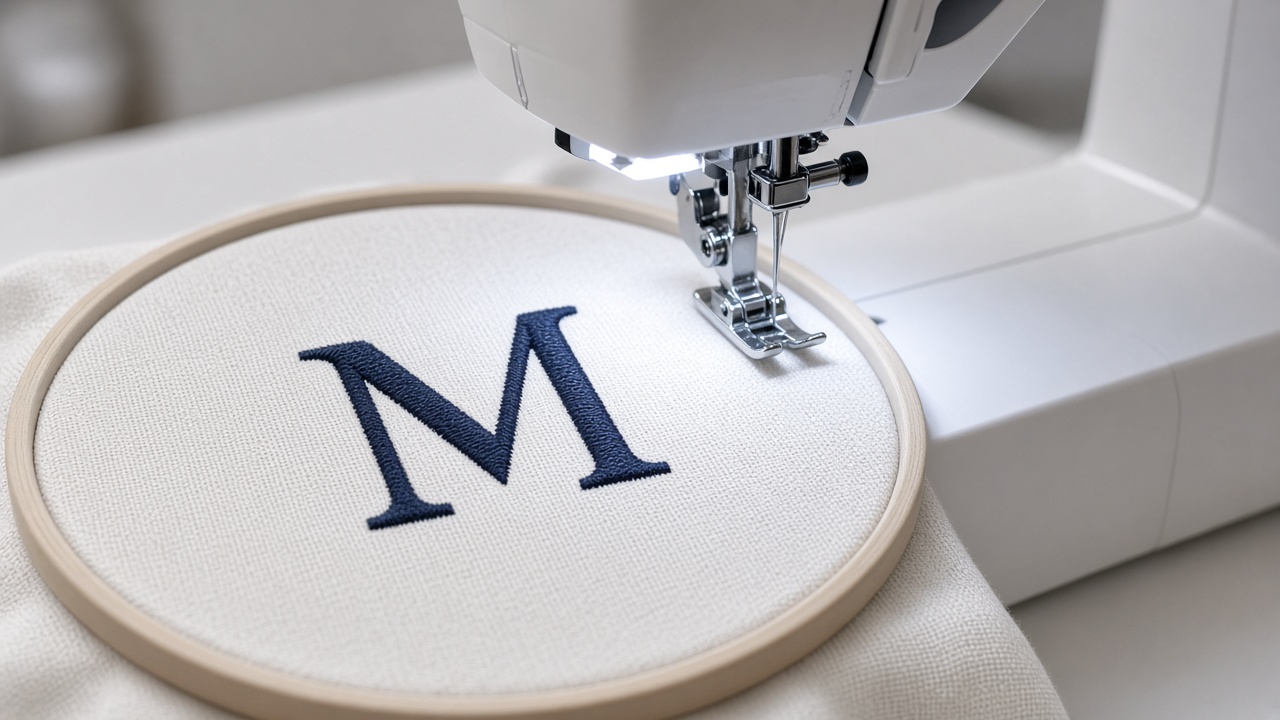
Brother publishes a 4″ × 4″ embroidery area. That is the hard ceiling for a single placement on this model. It is plenty for names, logos and small motifs; it is not a jacket-back canvas.
Built-in designs and fonts
The SE700 ships with 135 built-in embroidery designs on Brother’s page. That library is enough to learn hoop tension, stabilizer choices and color changes before you buy outside files. We are not inventing a font count Brother did not list clearly on the SE700 product page in our product set.
Wireless LAN and the Artspira app
Wireless LAN plus Brother’s Artspira app is how many owners move designs to the machine without a cable. Owners often like the convenience; some find the app setup takes patience. Built-in designs still work while you learn the wireless path.
The sewing side: 103 stitches
On the sewing side, Brother lists 103 built-in stitches. That keeps the SE700 useful between embroidery projects for seams, hems and everyday garment work — the reason a combo makes sense for small spaces.
What owners praise
What owners say that show up repeatedly: the convenience of a sewing-and-embroidery combo and wireless design transfer. Hobbyists who want one machine for monograms and basic garment sewing often land here. Those are patterns from review synthesis, not a score for every serial number.
Common owner complaints
The recurring themes are the small 4″ × 4″ field and an app learning curve for some owners. If larger single-hoop designs are your weekly job, the SE700 will feel limiting quickly — that is a field-size issue, not a surprise.
Brother SE700 vs alternatives
vs Brother PE545
The PE545 is embroidery-only with the same 4″ × 4″ field, 135 designs, ten fonts, wireless LAN and a 3.7″ color touchscreen. Choose it when you already sew on another machine and want a dedicated embroidery workspace. Choose the SE700 when you need seams and embroidery in one box.
vs Brother SE2000
The SE2000 offers a 5″ × 7″ max embroidery area, 193 designs and 241 sewing stitches. Choose it when you have outgrown 4″ × 4″ placements. Choose the SE700 when the smaller field and mid-range band match your projects.
vs the discontinued SE600
Brother has discontinued the SE600. Third-party listings may still appear, but the current combo lane for beginners on this site is the SE700 (4″ × 4″) or the SE2000 (5″ × 7″). Prefer current models with live manufacturer support pages over discontinued stock when you can.
Verdict
Buy the Brother SE700 if you want a research-backed sewing-and-embroidery combo for monograms and small motifs without buying two machines. Skip it if your designs need more than 4″ × 4″ in one hoop, and step up to the SE2000 instead. Commission never decides that split — published field size and what owners say do.
Sources and last checked3 sources
- Brother SE700 product page · checked
- Brother PE545 product page · checked
- Brother SE2000 product page · checked
FAQ
Is the Brother SE700 good for beginners?
Yes for hobbyists who want everyday sewing plus small embroidery without buying two machines. Built-in designs and wireless transfer help you start. If you only embroider and already own a sewing machine, an embroidery-only model may be a cleaner fit.
What size designs can the SE700 embroider?
Brother lists a 4″ × 4″ embroidery area. That fits monograms, patches and small motifs. Designs larger than that field need a bigger-hoop machine such as the SE2000, or careful multi-hoop workflows that are harder for beginners.
Do you need Wi-Fi to use the SE700?
No for the built-in library. You can embroider the designs already on the machine without wireless. Wi-Fi and the Artspira app matter when you want to send outside designs wirelessly. Confirm other transfer options on Brother’s live product page for your unit.
SE700 or SE2000?
Choose the SE700 when a 4″ × 4″ field and a mid-range combo are enough. Choose the SE2000 when you need a 5″ × 7″ max embroidery area and a larger built-in design and stitch library. Pay for the larger hoop only if your projects will use it.
Can the SE700 embroider hats?
Not in the way multi-needle shops embroider structured caps. The SE700 is a flat-hooping home machine; Brother does not position it with a dedicated cap frame for beginners. Stick to flat items — towels, patches, pockets and garment panels you can hoop flat.
About the SewPicks editors
SewPicks is written by named editors who compare sewing, quilting and embroidery machines from manufacturer specs and patterns in owner reviews. We do not run physical product trials. Our picks change when models are discontinued or better options appear.
 James WhitfieldReviews editor
 Maya ChenEditor-in-chief
- Rachel TorresQuilting & embroidery editor
Meet the full team on Authors & Editors, or read How We Choose.